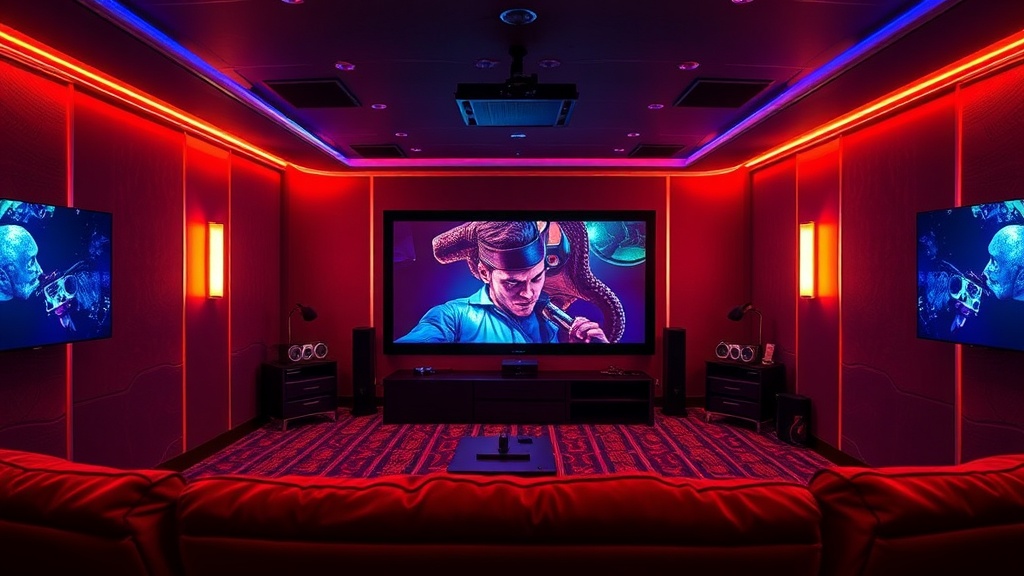
Building a High-End Home Cinema Experience on a Budget

What You Need to Know About Home Theater Setup
This guide covers the technical requirements for transforming a standard living room into a high-fidelity cinema environment. You'll learn about screen ratios, audio placement, and how to optimize your viewing space without spending a fortune on professional-grade equipment. Whether you're working with a small bedroom or a dedicated basement, the principles of light control and sound-path geometry remain the same.
A great movie night isn't just about the screen; it's about the environment. Most people make the mistake of buying the most expensive TV and ignoring the room itself. If your room is too bright or your speakers are placed incorrectly, even a $5,000 display will look mediocre. You can achieve a much better result by focusing on the basics of light absorption and sound isolation.
Can I Use a Projector Instead of a TV?
A projector is a fantastic way to get a massive image, but it requires more discipline than a standard television. When choosing a projector, look at the ANSI lumens rating. This number tells you how bright the light output actually is. If you're planning to watch movies in a room with some ambient light, you'll need a projector with higher brightness to prevent the image from looking washed out. Check out the Rtings reviews to see how different brightness levels perform in real-world testing.
The biggest hurdle with projectors is the screen surface. A plain white wall works in a pinch, but a dedicated projector screen can drastically improve contrast. High-gain screens reflect more light back at you, which is great for bright rooms, but can sometimes wash out the deep blacks in a dark room. For a true cinematic feel, a fixed frame screen is usually your best bet. It keeps the surface perfectly flat and prevents the "waves" that often plague cheap pull-down models.
How Do I Get the Best Sound from My Speakers?
Audio is often the most overlooked part of the home cinema experience. You can have the sharpest 4K image in the world, but if your audio is thin and tinny, the immersion breaks. The goal is to create a soundstage that feels wide and deep. This starts with the "sweet spot"—the area where the sound is most balanced. You'll want to position your front left, center, and right speakers in an equilateral triangle relative to your seated position.
The center channel is arguably the most important speaker in your setup. In a movie, the vast majority of the dialogue comes through this channel. If your center channel is weak, you'll find yourself constantly adjusting the volume because you can't hear the actors over the explosions or the musical score. Ensure your center speaker is at ear level when you're sitting down. If it's tucked under a shelf or blocked by a soundbar, the clarity of the dialogue will suffer.
Does Room Treatment Actually Matter?
Yes, it matters immensely. Most standard rooms are full of hard, reflective surfaces like hardwood floors, glass windows, and bare walls. These surfaces cause sound waves to bounce around, creating echo and reverb. This makes dialogue hard to understand and makes action scenes sound muddy. You don't need to buy expensive acoustic foam to fix this; you can use everyday items.
- Rug and Carpets: A thick rug on a hard floor can absorb a lot of high-frequency reflections.
- Curtains: Heavy, dark curtains can block both light and sound, helping to dampen the room.
- Bookshelves: An irregular surface like a bookshelf acts as a natural diffuser, breaking up sound waves.
If you want to get technical, you can look into the Dolby standards for sound-room interaction. Understanding how sound behaves in a confined space helps you place your subwoofers more effectively. A common mistake is placing a subwoofer in a corner where it becomes too boomy, which masks the finer details of the audio. Try moving the sub around the room to find the spot where the bass feels tight and controlled rather than overwhelming.
Optimizing Your Viewing Distance
People often sit too close to their screens, which leads to eye strain and a loss of immersion. The ideal distance depends on the size of your screen and the resolution of the display. For a 4K television, you can sit closer than you could with a 1080p model because the pixel density is much higher. However, if you're using a projector, you generally want to sit far enough back that the screen fills your field of vision without you having to turn your head to see the edges.
A good rule of thumb for a cinematic feel is to have the screen occupy about 40 degrees of your field of view. This mimics the perspective of a commercial theater. If you're sitting too far back, the experience feels like you're just watching TV. If you're too close, you'll notice the edges of the screen, which breaks the illusion of being "inside" the movie. Experiment with your seating positions to find the balance that works for your specific room layout.
| Component | Budget Option | Mid-Range Option |
|---|---|---|
| Display | Budget Projector | Large Format TV |
| Audio | 2.1 Channel Soundbar | 5.1 Surround System |
| Seating | Standard Couch | Recliner with Headrest |
Building a home theater is a process of constant refinement. Start with the basics—a decent screen and a solid soundbar—and then add components as your budget allows. The most important thing is to create an environment where you can actually focus on the content. If you're constantly fighting glare or trying to hear dialogue, you're not really watching a movie; you're just managing a technical problem.